Confirm quality Stage 4: (DocEsign)
This guide will walk you through the process of confirming the quality of Stage 4 in the DocEsign application. Follow these steps to ensure a seamless experience.
Go to app.buildmacro.com
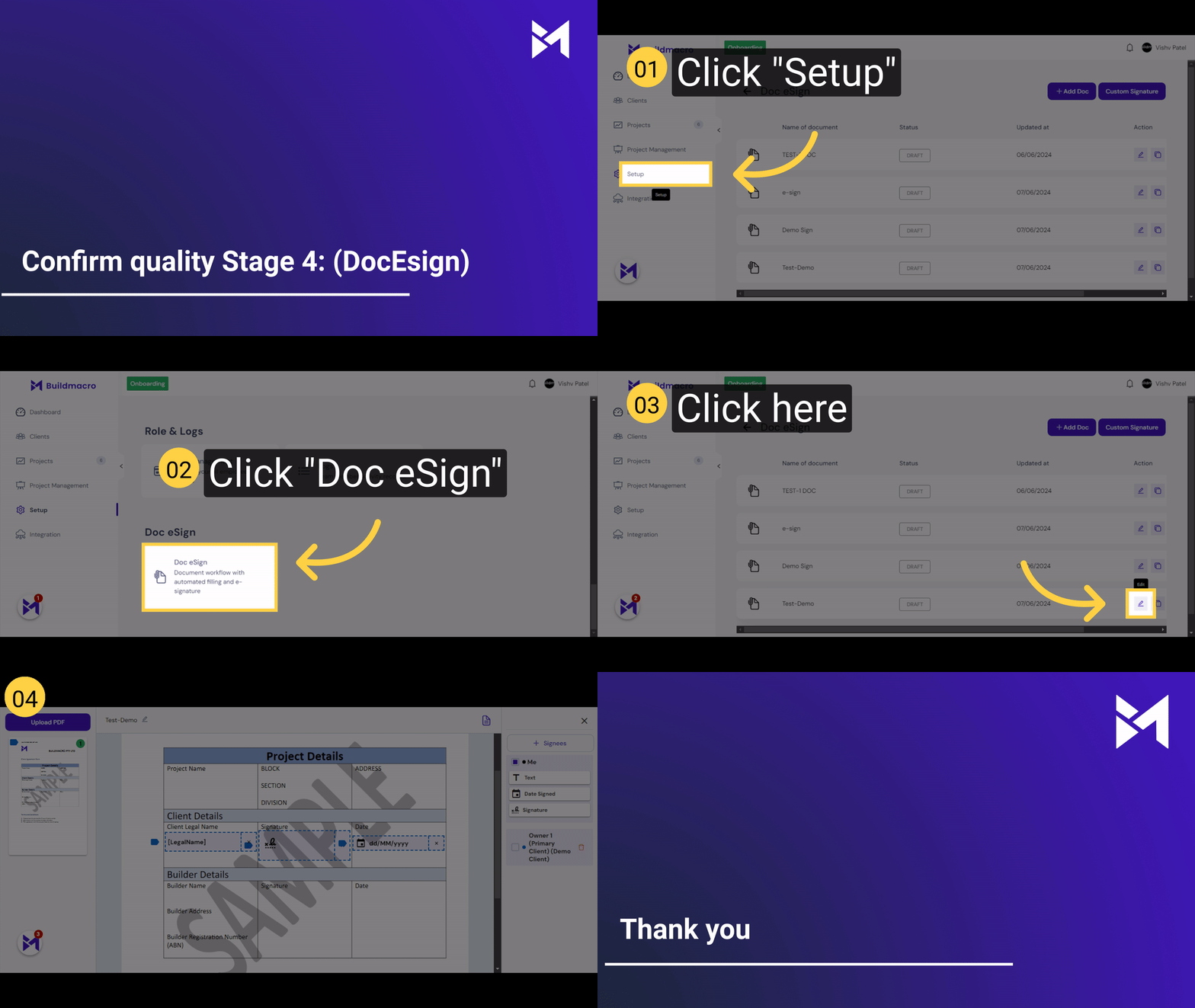
1. Click "Setup"
Access the setup section.
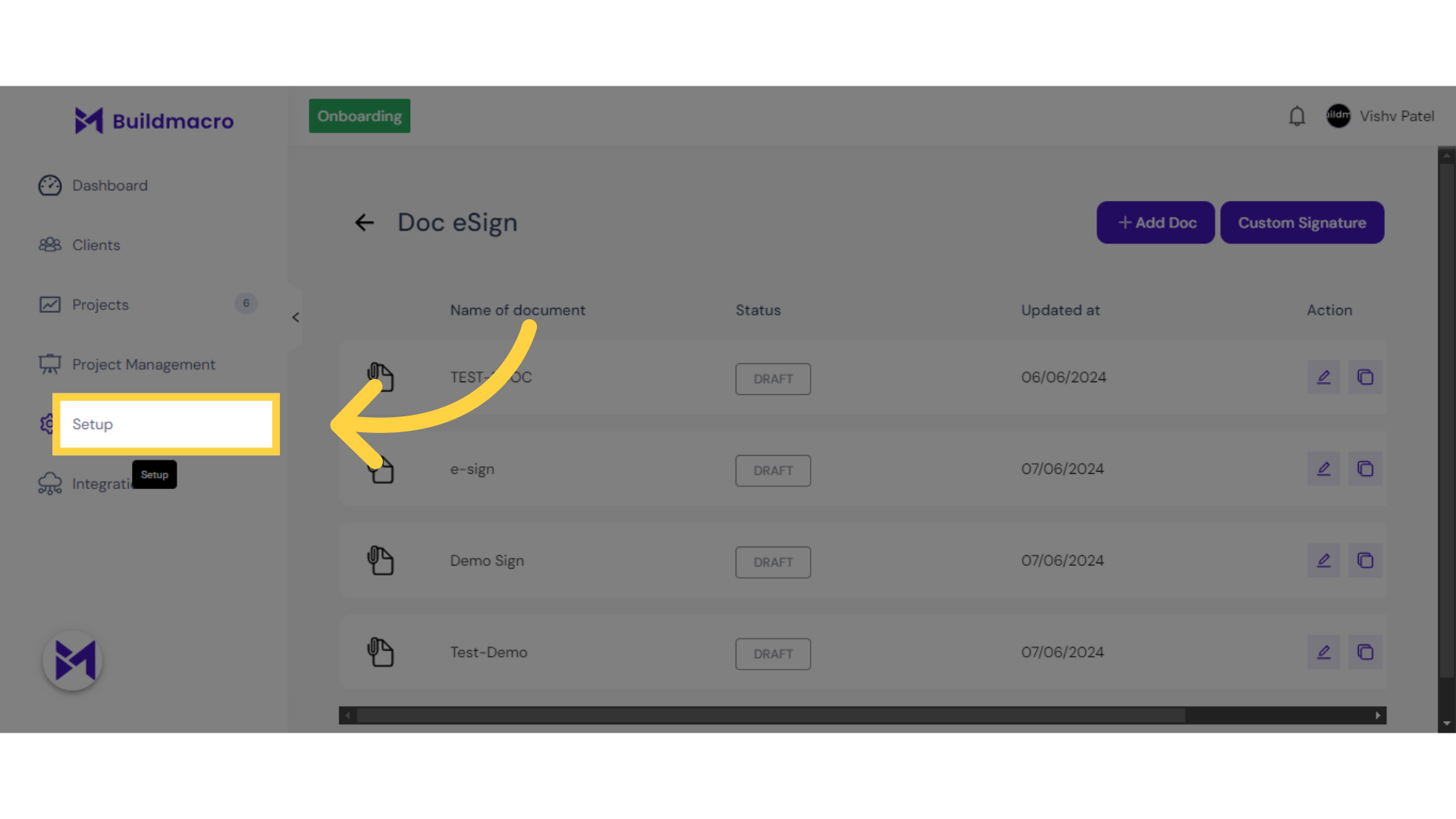
2. Click "Doc eSign"
Navigate to the Doc eSign feature.
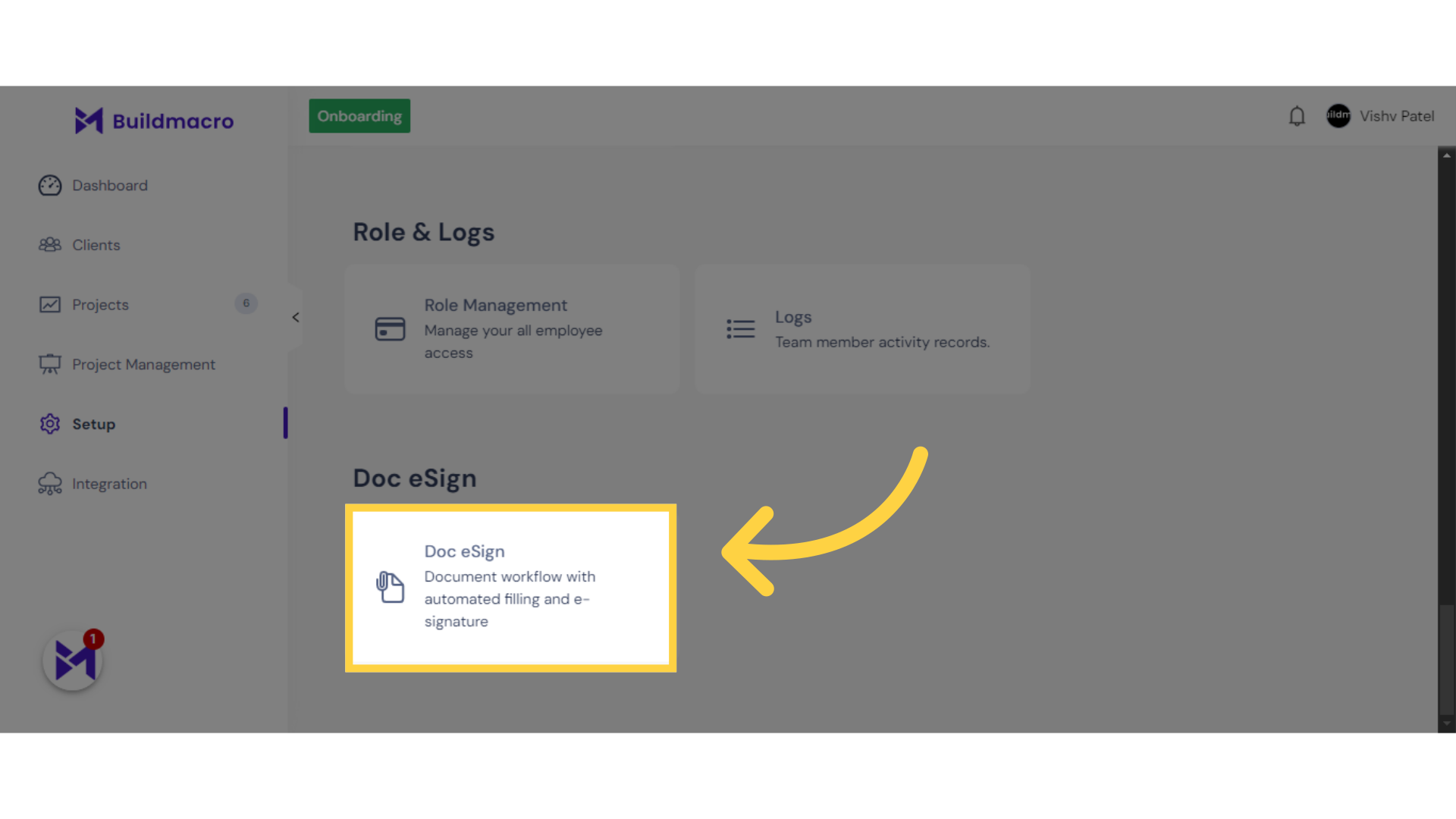
3. Click here
Click here
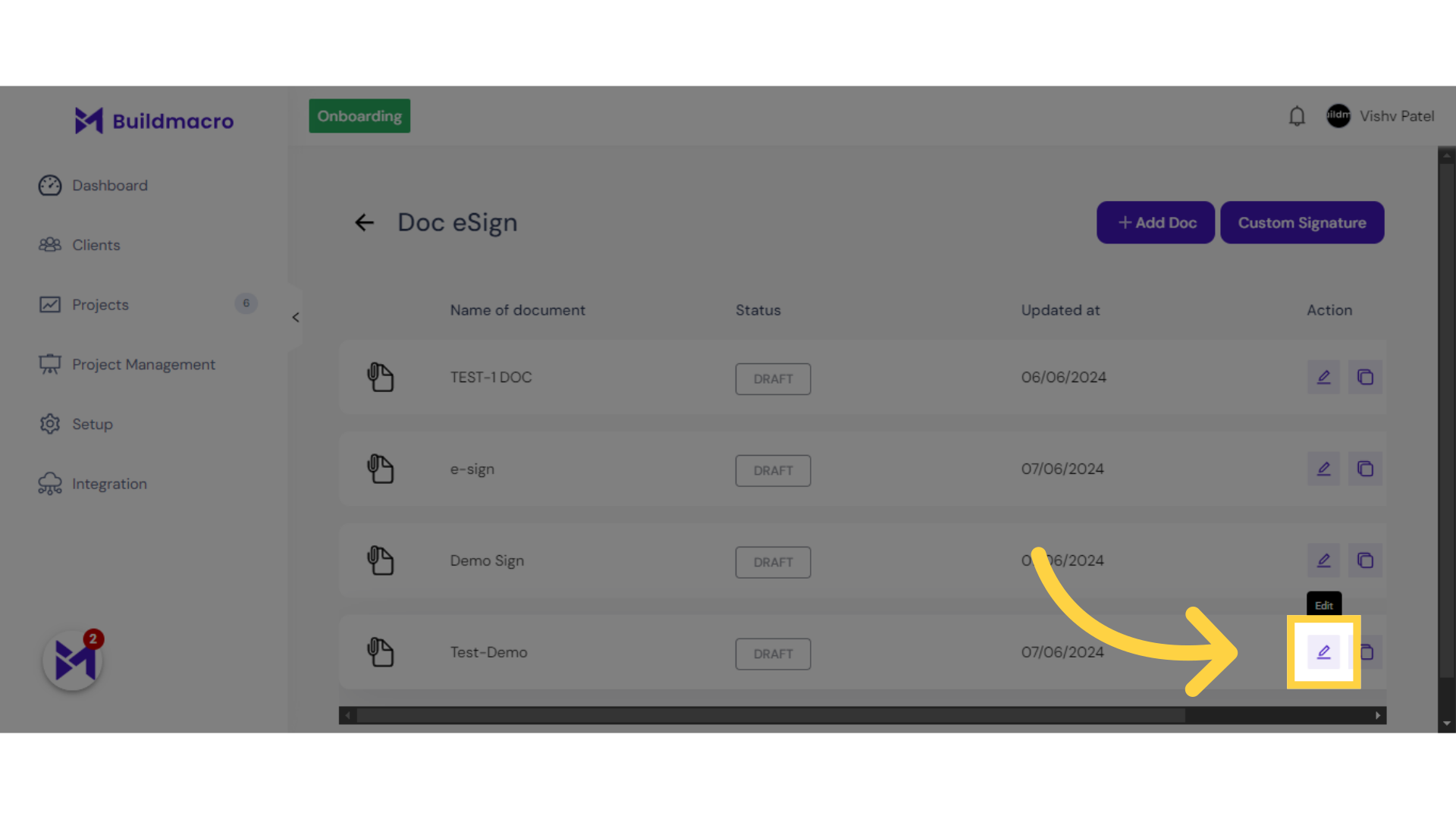
4. Click "labellabel[LegalName]labelevent dd/MM/yyyy"
Select the legal name and event date fields.
![Click 'labellabel[LegalName]labelevent dd/MM/yyyy'](https://static.guidde.com/v0/qg%2F1XlWIoWRUPUJgb82TY3BasEpVjs2%2F2Rqymmjt1Px1jVib8WCsny%2F9fLhGEdPZaxZeqD29sCvmE_doc.png?alt=media&token=9d68e123-816d-44a5-9318-5a2329d0361e)
This guide covered the steps to confirm the quality of Stage 4 in the DocEsign application, including accessing setup, navigating to Doc eSign, and selecting specific fields.