How to complete task?
This guide will walk you through the steps to complete a task using the Build-task-staging application, focusing on employee training.
Go to app.buildmacro.com
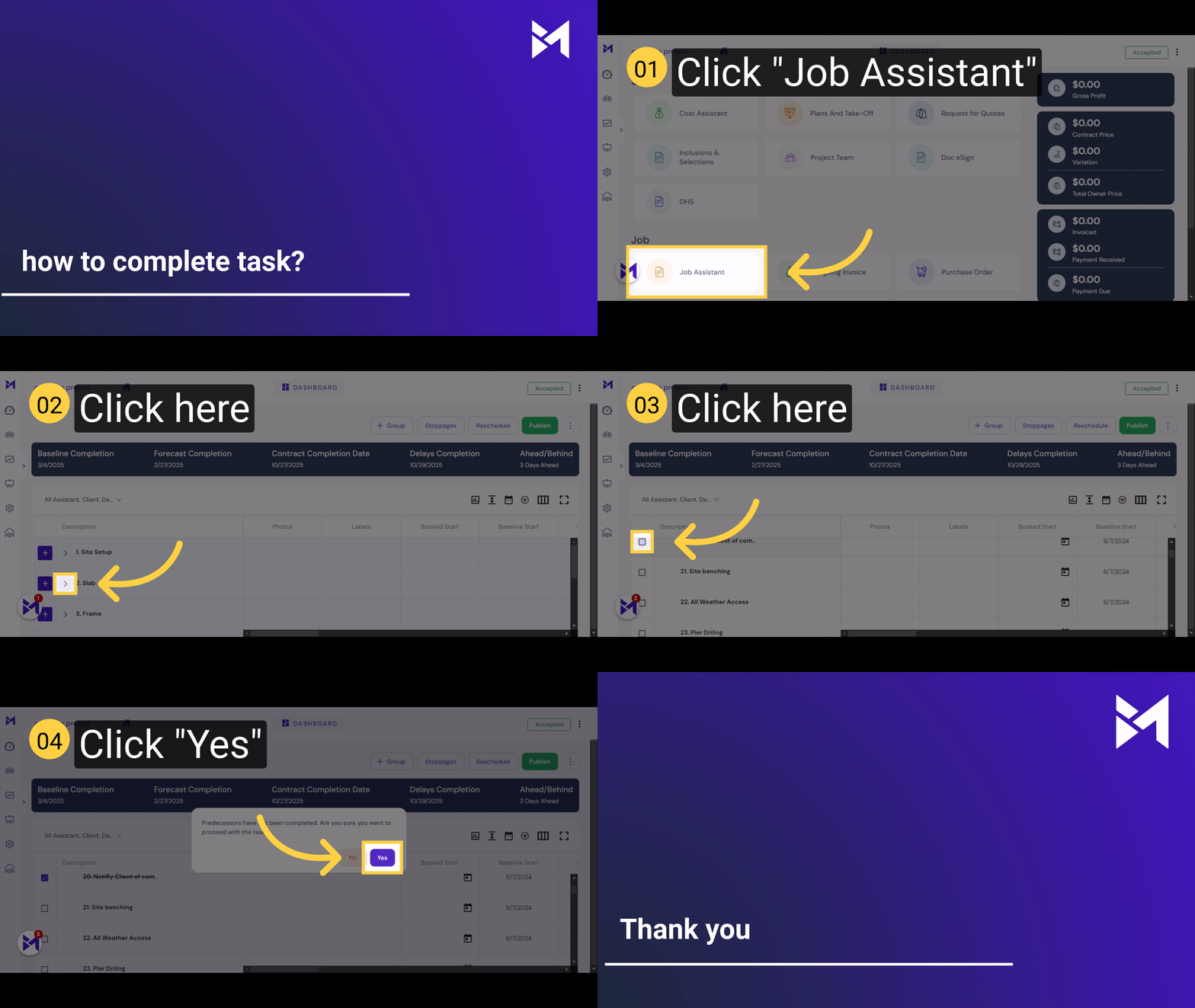
1. Click "Job Assistant"
Access the "Job Assistant" feature.
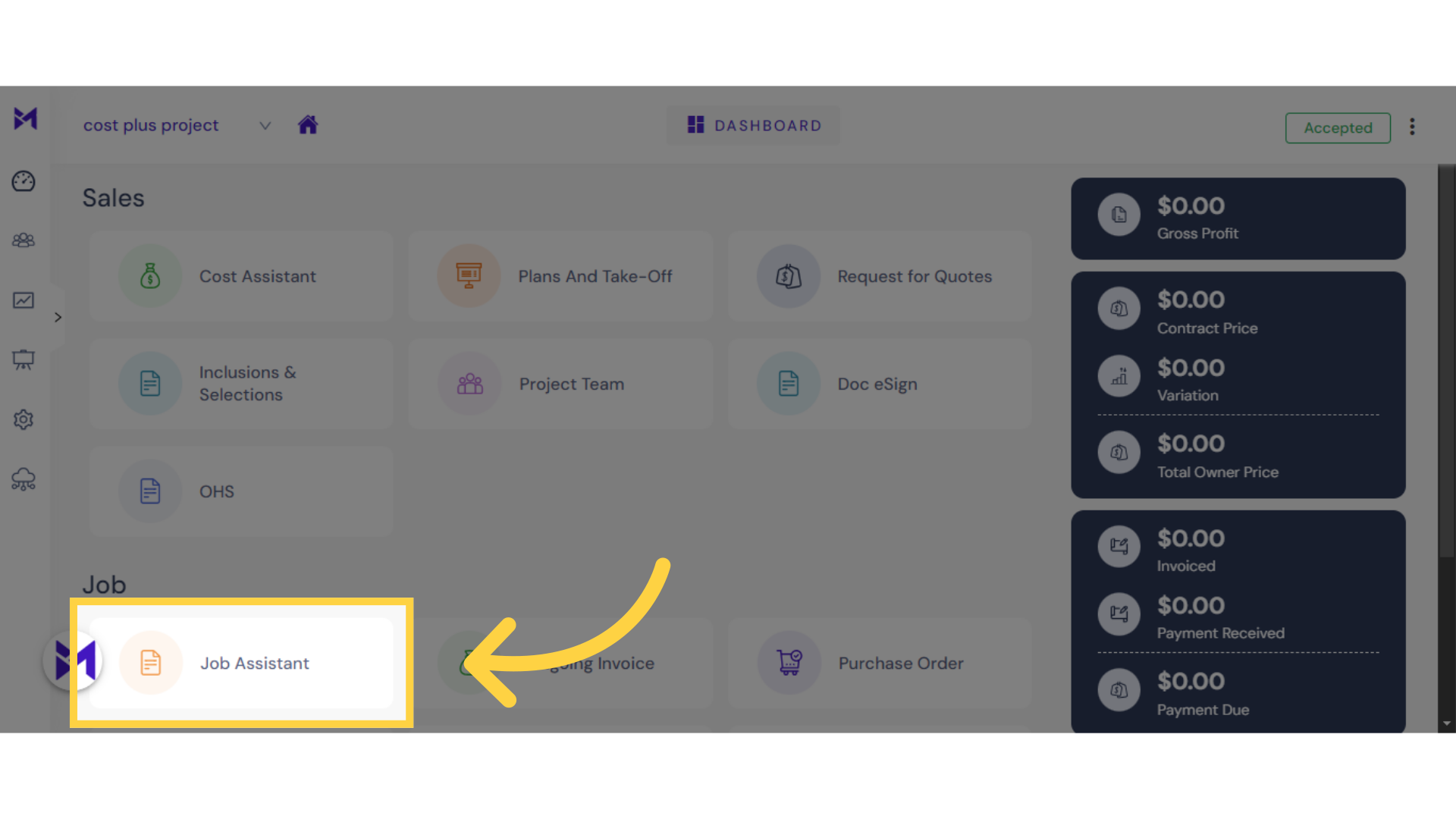
2. Click here
Click here
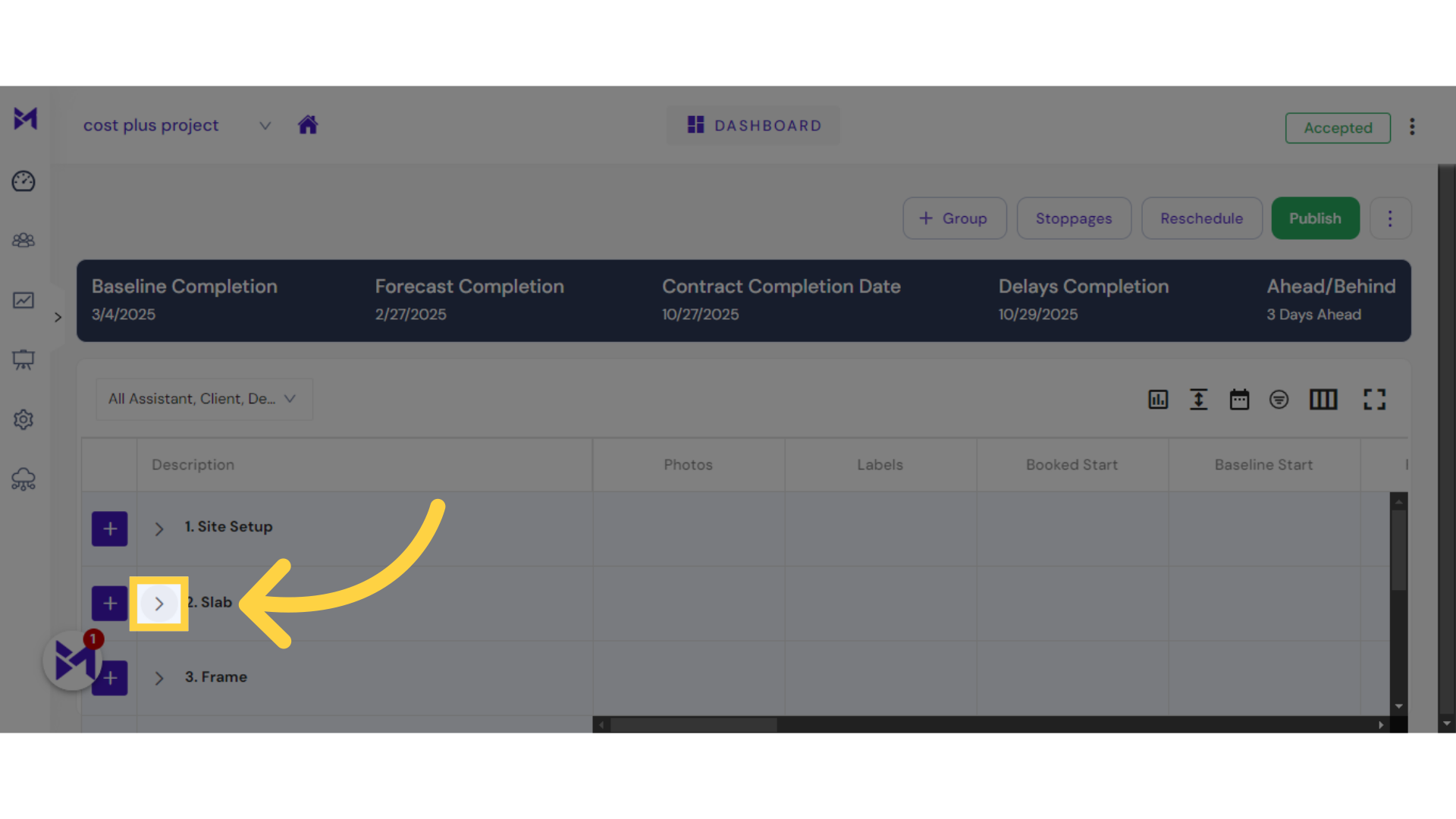
3. Click here
Click the selected button
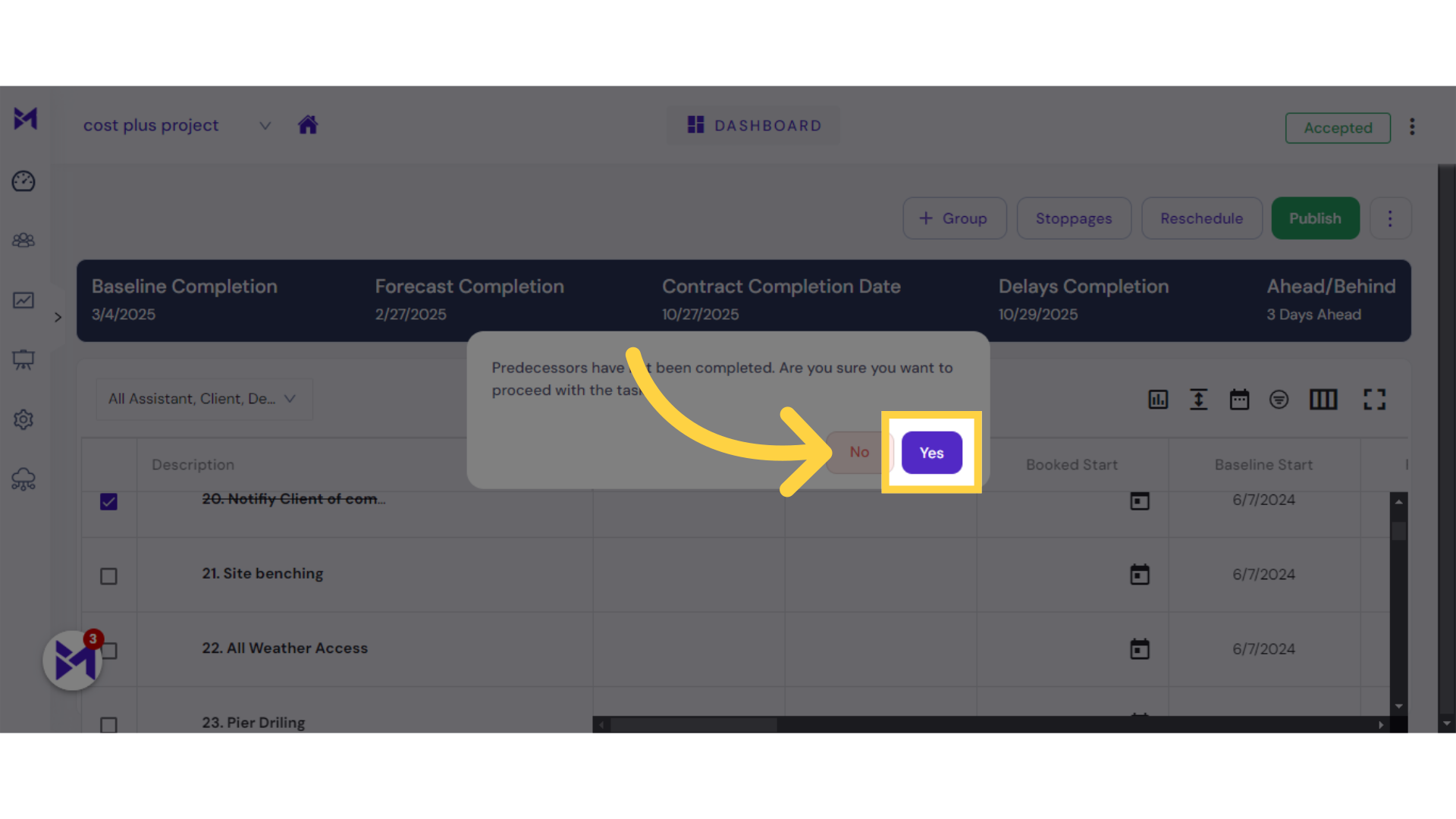
4. Click "Yes"
Select "Yes" to confirm.
The guide covered accessing the "Job Assistant" feature, navigating to specified locations, entering text in fields, and confirming selections in the Build-task-staging application for employee training.